
Wrestling Codes
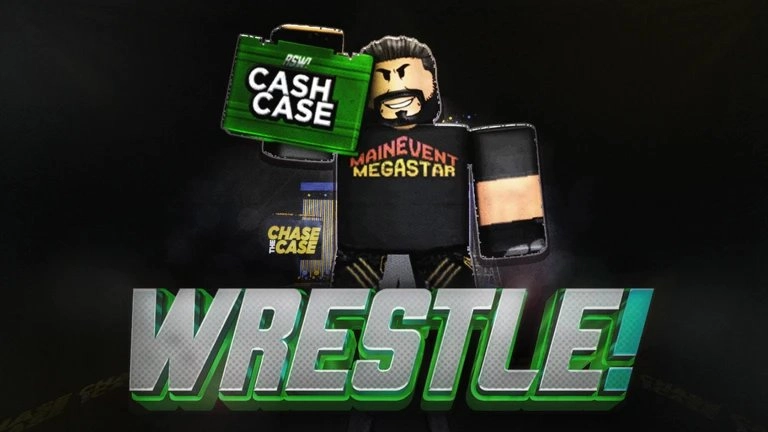


Latest Wrestling Codes (April 2026)
How to Redeem Codes
- Launch Wrestling on Roblox and load into Play or Roleplay mode.
- Click the Settings button on the right side of the screen.
- Scroll to the bottom of the Settings window and click Redeem Codes.
- Type or paste a working code exactly into the Type Code Here text box, then hit the Redeem button to collect your free rewards instantly.
About Wrestling
In Roblox Wrestle, you begin your journey as an up-and-coming fighter aiming to rise through the ranks. By winning matches and improving your performance, you can build your reputation and move closer to competing in major events like SUPERCLASH. Progression is all about proving your skills, earning victories, and working your way toward becoming a top champion.
To speed up your progress, you can use Wrestle codes to claim free Coins and other rewards. These bonuses give you an early advantage, helping you upgrade faster and advance through the rankings without spending too much time grinding. Instead of searching everywhere for active codes, you can rely on the latest verified ones to help you reach the main event stage more efficiently.
What Do Codes Give You?
Coins
Coins are the primary and only rewards given by codes in Wrestling, used to upgrade your wrestler, improve stats, and progress through matches more effectively. Since earning coins normally requires playing matches and grinding wins, code rewards provide an immediate boost that helps players upgrade faster and stay competitive without extended gameplay.
Primary CurrencyHow to Find New Codes
Why Some Codes Don't Work
Case-Sensitive Input
Some Wrestling codes are case-sensitive, meaning incorrect uppercase or lowercase letters will cause the code to fail. To avoid this, always copy and paste the code exactly as shown instead of typing it manually.
Typing Errors
Even a small mistake, such as a wrong letter, number, or extra space, can make a code invalid. Double-check the format or paste the code directly to prevent input errors.
Codes With Spaces
Codes may expire over time and can stop working without warning, especially after updates or events. If a code no longer works, it is likely expired, so redeem codes as soon as possible.
Code Has Expired
Codes don’t last forever and may expire without warning, especially after updates or events. If a code no longer works, it is likely expired, so redeem codes as soon as possible.
Server Glitches
New codes may not work properly on all servers right away. If you encounter issues, try leaving the game and rejoining to connect to a newer server.
Claim Button Not Pressed
After entering a code, you still need to press the Redeem button to claim your rewards. If you skip this step, the rewards will not be added to your account.
Beginner Tips for Wrestling
Codes in Wrestle give Coins, which help you progress faster at the start. Using these early lets you upgrade sooner and avoid slow grinding in the beginner ranks.
The game revolves around fighting in matches and climbing ranks. Winning consistently is the fastest way to improve your career and move toward higher-level competition.
Climbing the ranks too quickly without enough upgrades can make matches harder. It’s better to improve your stats and performance first before pushing into tougher opponents.
Coins should be spent on improving your wrestler and performance. Using them properly gives you a better chance to win matches consistently instead of struggling in fights.
The goal is to reach the top and fight in the main event like SUPERCLASH. Staying consistent with wins and improving your gameplay helps you climb faster without setbacks.
Codes are often released during updates or milestones. Claiming them quickly gives you extra Coins that can help you progress without heavy grinding.
Latest Update Wiki
Fresh guides + updates from BLOXBURST Wiki
How to Redeem Roblox Codes (Step-by-step)
A quick guide to make sure you don't make mistakes when redeeming.
Read →How we check codes (manual testing)
An explanation of how we scan and test codes.
Read →Common reasons for "Invalid Code".
Common issues and fast solutions.
Read →💬 Leave a Comment
Have a question or feedback? Send it to us!