
Paradox Codes


Latest PARADOX Codes (April 2026)
How to Redeem Codes
- Launch PARADOX on Roblox and load into the game.
- Click the STORE button at the bottom of the screen.
- Scroll to the bottom of the Store menu and type or paste a working code into the Insert Code Here text box.
- Click the tick icon to collect your free rewards instantly.
About PARADOX
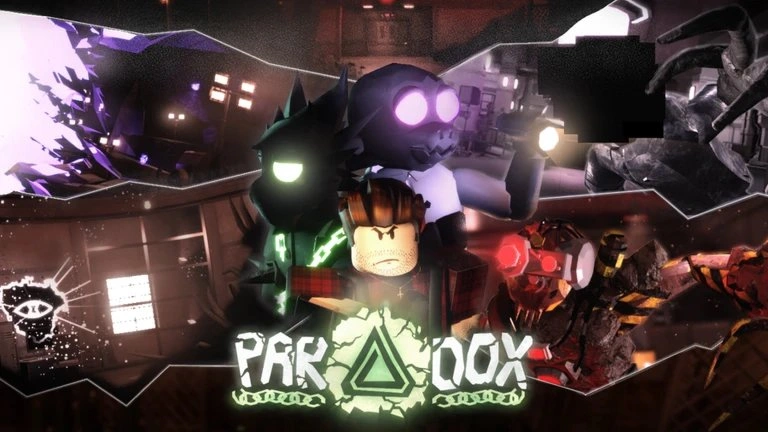
PARADOX is an action RPG developed by Project Inc on Roblox. The adventure begins after escaping the perilous mines — only for a mysterious force to intervene and divert your path to an entirely unknown location. Players must navigate this enigmatic environment, confront the challenges posed by a powerful unseen entity, and unravel the secrets of this alternate reality. Progression is built around acquiring and upgrading Clans, Abilities, and Weapon Skins through a reroll system, with Shards serving as the primary currency for upgrades and purchases. Revives and Shard Boosts from codes provide immediate combat and economy advantages that accelerate your ability to survive the game's increasingly dangerous encounters.
🌀 Gameplay Loop
Explore the alternate reality opened by the paradox, battling enemies and uncovering the source of the mysterious force that redirected your escape. Shards are earned through combat and used to purchase upgrades, rerolls, and character enhancements. Clan assignments provide passive combat bonuses, Ability rerolls determine your active combat toolkit, and Weapon Skin rerolls affect your visual identity and potentially stat modifiers. Revives allow continued play after defeat without losing progress, while Shard Boosts temporarily multiply the Shard income earned through battles — making them most valuable during active grinding sessions.
🔑 Code System
PARADOX codes are redeemed through the STORE button at the bottom of the screen — scroll to the bottom of the Store menu, enter the code in the Insert Code Here text box, and click the tick icon to confirm. No group join is required to redeem codes — all codes activate immediately for any player. All codes are case-sensitive, and some codes contain spaces that must be included exactly as shown — copy directly from BLOXBURST to avoid errors. New codes are released through the official Discord server and Roblox group page. Each code is single-use per Roblox account.
What Do Codes Give You?
Shards & Boosts
Shards are the primary currency in PARADOX, used to fund upgrades, rerolls, and character progression across every system in the game. Shard Boosts temporarily multiply the Shards earned from battles — making them most valuable when activated before an active grinding session rather than during idle play. Revives allow continued play after defeat without losing current progress, serving as insurance during high-difficulty encounters where a single death would otherwise set back progression significantly.
Primary Currency & Combat AidRerolls & Resets
Clan Rerolls, Ability Rerolls, and Weapon Skin Rerolls are the core build customisation rewards in PARADOX — each providing additional attempts at obtaining better assignments across their respective systems. Stat Resets allow full reallocation of invested stat points without any Shard cost, making them valuable whenever a build direction change is needed. Wipe Essence enables complete character wipes for a fresh start with retained knowledge — awarded by some of the more significant milestone codes in the game's history.
Build Customisation ResourcesHow to Find New Codes
Why Some Codes Don't Work
Case-Sensitive Input
All PARADOX codes are fully case-sensitive. Entering any character incorrectly — including capitalisation — produces an immediate rejection. Copy and paste directly from BLOXBURST to eliminate input errors entirely. On mobile, autocorrect can silently alter the first character of a pasted code — verify the text field content after pasting before clicking the tick icon.
Codes With Spaces
Some PARADOX codes contain spaces — "ALL PARADOX CODES 2026" is an active example. The space is part of the code and must be included exactly as shown. Copying these codes directly from BLOXBURST is the safest approach — typing them manually risks omitting the space or adding an extra one, both of which produce an invalid code rejection.
Code Has Expired
PARADOX codes can expire without advance notice. BLOXBURST cross-checks multiple sources before updating the active list — any code showing expired or conflicting status is moved immediately. If a code does not appear in the active list here, it has been flagged and will not work.
Already Redeemed
Each PARADOX code is single-use per Roblox account. If the game returns an already-redeemed message, the Shards, Revive, or Rerolls were added to your account in a previous session. Players returning after a gap may have claimed codes they no longer remember redeeming — checking the active list against memory before attempting codes prevents repeated failed attempts.
Old Server After Update
Codes released with a new PARADOX update can fail on servers still running the previous build. If a newly announced code returns invalid on the first attempt — particularly within the first hour or two of a patch — exit the game entirely and rejoin to land on a fresh server running the current version. This resolves almost all build-related redemption failures immediately.
Wrong Menu Location
PARADOX codes can only be redeemed through the STORE button at the bottom of the screen — scroll to the very bottom of the Store menu to find the Insert Code Here text box. Players who open the Store but do not scroll to the bottom will not find the code input field. After pasting the code, click the tick icon rather than pressing keyboard Enter to confirm the redemption.
Beginner Tips for PARADOX
Before entering your first combat encounter, redeem all active codes through the STORE. The Shards from current codes fund your earliest upgrades and rerolls, while Revives provide insurance during difficult early encounters. Starting your first session with both resources already available gives you a meaningful head start over players who begin with only base resources.
The code "ALL PARADOX CODES 2026" contains spaces between each word that are required for the code to validate. Typing this manually risks inserting the wrong number of spaces or missing one entirely — both produce a rejection that is indistinguishable from an expired code. Copying directly from BLOXBURST and pasting into the Insert Code Here box ensures the spaces are in exactly the right positions every time.
Shard Boosts multiply the Shards earned from battles for their active duration. Activating one while playing casually or in short sessions wastes most of the boost window. Save Shard Boost activation for dedicated grinding sessions where you can fight continuously for the full duration — maximising the total Shards earned and compressing the time needed to fund the next upgrade tier.
Clan assignments in PARADOX provide passive stat multipliers that affect combat performance across all content. Establishing a strong Clan assignment before investing Ability or Weapon Skin rerolls ensures subsequent build decisions are made on a solid foundation. Spending rerolls on Ability and Weapon Skins before Clan risks investing build resources on top of a weak passive base that limits their impact.
Revives are most valuable in high-stakes situations where a single death would erase significant session progress — boss encounters, difficult area transitions, or challenging PvP situations. Using Revives during standard grinding encounters where death simply means a respawn at low cost wastes their value. Holding Revives in reserve for the game's harder content ensures they are available when the combat stakes are actually high enough to justify their use.
PARADOX releases codes consistently following content updates and bug fix patches — the morebugfixes code is a direct example of this pattern. Checking the Discord announcements channel within the first hour of any update notification or patch post is the fastest way to claim new codes before they expire. Given the volume of past compensation and patch codes, this pattern is one of the most reliable predictors of upcoming drops in the game.
Latest Update Wiki
Fresh guides + updates from BLOXBURST Wiki
How to Redeem Roblox Codes (Step-by-step)
A quick guide to make sure you don't make mistakes when redeeming.
Read →How we check codes (manual testing)
An explanation of how we scan and test codes.
Read →Common reasons for "Invalid Code".
Common issues and fast solutions.
Read →💬 Leave a Comment
Have a question or feedback? Send it to us!