
Card Shop Friends Codes
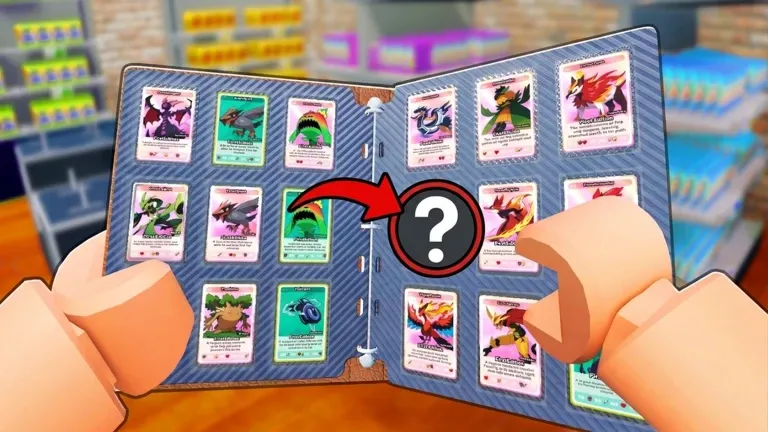


Latest Card Shop Friends Codes (April 2026)
How to Redeem Codes
- Launch Card Shop Friends on Roblox and load into the game.
- Press the Z key on your keyboard to open your phone.
- Click the Code button on your phone.
- Type or paste a working code into the Enter Code... text box and click the Redeem button.
- If the code is still active, you'll get your free rewards instantly.
About Card Shop Friends
Card Shop Friends is a multiplayer co-op card store simulator developed by Walking Dad Studio on Roblox. Players team up with friends — or make new ones — to build and run their very own trading card shop from the ground up. Stock the shelves, open booster packs, serve customers, hire employees, and grow your business together as a team. The game launched in November 2025 and has already surpassed 2.8 million visits, with regular updates adding new features like Shop Decoration, Trade NPCs, Figurine Products, Auto Pack Openers, and Friends NPCs. Cash Boosts from codes accelerate your shop's economy, letting you reinvest in upgrades and expansions much faster than grinding alone.
🎴 Gameplay Loop
Teamwork is the heart of Card Shop Friends — the better your coordination with friends, the faster your shop grows. Manage your store's inventory by restocking shelves and keeping customers satisfied, while opening booster packs to reveal epic pulls and ultra-rare cards for your collection. Buy, sell, and trade cards and figurines to maximize profits, then reinvest your earnings into expanding the shop and unlocking new stations. Hire NPC employees to help keep operations running smoothly, and customize your store's decoration to stand out. Cash Boosts are most valuable when you're actively serving customers, letting your team stack earnings faster and push toward bigger upgrades in less time.
🔑 Code System
Card Shop Friends codes are redeemed through the in-game phone — press the Z key to open your phone, tap the Code button, type your code into the Enter Code box, and click Redeem to claim your reward instantly. Active codes primarily reward 2x Cash Boosts that temporarily double your shop's earnings. All codes are case-sensitive, so copy them exactly as shown to avoid errors. New codes are announced through the official Discord server, so joining the community is the best way to stay updated. Each code is single-use per Roblox account and may expire, so redeem them as soon as possible.
What Do Codes Give You?
2x Cash Boost
All active codes in Card Shop Friends grant a 2x Cash Boost — the primary code reward in the game. This doubles the cash you earn from serving customers and selling cards for the duration of the boost, letting you reinvest into shop upgrades, new booster pack stock, and store expansions far ahead of the normal grind pace. Best activated during a busy active session rather than leaving the shop idle.
Shop Revenue MultiplierBooster Pack Stock
Cash earned and boosted through codes goes directly into purchasing more booster pack inventory to stock your shelves. The more packs you carry, the more customers you can serve — and the faster your shop reputation grows. With a 2x Cash Boost active, restocking after a sellout is significantly cheaper relative to what you're earning, making codes a direct investment into your store's throughput.
Inventory & Restock FuelShop Upgrades
Cash Boosts accelerate access to shop upgrades like new stations, auto pack openers, cleaner machines, and employee hires — all of which reduce the manual workload on your team. Upgrades like the Auto Pack Opener (added March 2026) and Hire Employees (added April 2026) are expensive milestones that become reachable much sooner when you enter a session with an active cash multiplier from a freshly redeemed code.
Faster Store ProgressionCard Collection
Beyond running the shop, Card Shop Friends lets you crack open booster packs yourself to collect ultra-rare cards. Extra cash from code boosts means more packs you can afford to open personally — each pull having a chance at rare cards that drive up your collection value. Trading these cards with other players and NPCs is a core income loop, so building a strong personal collection through boosted sessions pays off long-term.
Pull Rare Cards SoonerHow to Find New Codes
Why Some Codes Don't Work
Case-Sensitive Input
All Card Shop Friends codes are fully case-sensitive. Entering any character incorrectly — including capitalisation — produces an immediate rejection. Copy and paste codes directly to eliminate input errors entirely. On mobile, autocorrect can silently alter the first character of a pasted code — verify the text field content after pasting before clicking Redeem.
Codes With Spaces
Some Card Shop Friends codes may contain spaces. The space is part of the code and must be included exactly as shown. Copying codes directly is the safest approach — typing them manually risks omitting the space or adding an extra one, both of which produce an invalid code rejection.
Code Has Expired
Card Shop Friends codes can expire without advance notice. If a code does not appear in the active list, it has been flagged as expired and will not work.
Already Redeemed
Each code is single-use per Roblox account. If the game returns an already-redeemed message, the 2x Cash Boost was already added to your account in a previous session. Players returning after a gap may have claimed codes they no longer remember redeeming.
Old Server After Update
Codes released with a new Card Shop Friends update can fail on servers still running the previous build. If a newly announced code returns invalid — particularly within the first hour or two of a patch — exit the game entirely and rejoin a fresh server. This resolves almost all build-related redemption failures immediately.
Wrong Menu Location
Card Shop Friends codes can only be redeemed by pressing the Z key to open your phone, then clicking the Code button. Type your code into the Enter Code... box and click Redeem. Players who look elsewhere in the menu will not find the code input field.
Beginner Tips for Card Shop Friends
— Before doing anything in your shop, open your in-game phone (press Z, then tap Code) and redeem any active codes. Active codes give 2x Cash Boosts that apply immediately to all your earnings. Having these running before you start selling means every early transaction earns you double cash — a meaningful head start on your first shop upgrades.
— To avoid failed redemptions Card Shop Friends codes must match exact capitalization. Typing a code incorrectly returns an error that looks identical to an expired code rejection, so you won't know if it actually failed or just expired. Always copy codes from a trusted source and paste them directly into the Enter Code box to avoid wasting attempts on typos.
— not when you're about to log off Cash Boosts from codes run on a timer. Redeeming a code and then going AFK or closing the game wastes most of the boost window. Save code redemption for when you're ready to play continuously — the more sales you make during the boost, the more cash you earn and the faster you can upgrade your shop.
— splitting tasks between stocking and serving customers is faster than doing both alone Card Shop Friends is built around multiplayer cooperation. Having one player manage the counter and serve customers while another restocks shelves and opens new inventory keeps the shop running smoothly and prevents customer walk-offs. Trying to do both solo causes bottlenecks that cost you sales and reviews.
— rare pulls increase shop value and give you strong trade leverage Booster packs contain cards of varying rarity, and ultra-rare pulls are both high-selling items and strong trading chips. Don't rush to sell every card immediately — assess whether a rare card is worth more as a shop display item, direct stock, or a trade for something your shop currently lacks.
— Walking Dad Studio releases codes tied to milestones, updates, and community events. The official Discord server is the fastest source for new codes. Checking announcements within the first hour of any update post is the most reliable way to claim codes before they expire.
Latest Update Wiki
Fresh guides + updates from BLOXBURST Wiki
How to Redeem Roblox Codes (Step-by-step)
A quick guide to make sure you don't make mistakes when redeeming.
Read →How we check codes (manual testing)
An explanation of how we scan and test codes.
Read →Common reasons for "Invalid Code".
Common issues and fast solutions.
Read →💬 Leave a Comment
Have a question or feedback? Send it to us!