
Build a Candy Shop Codes
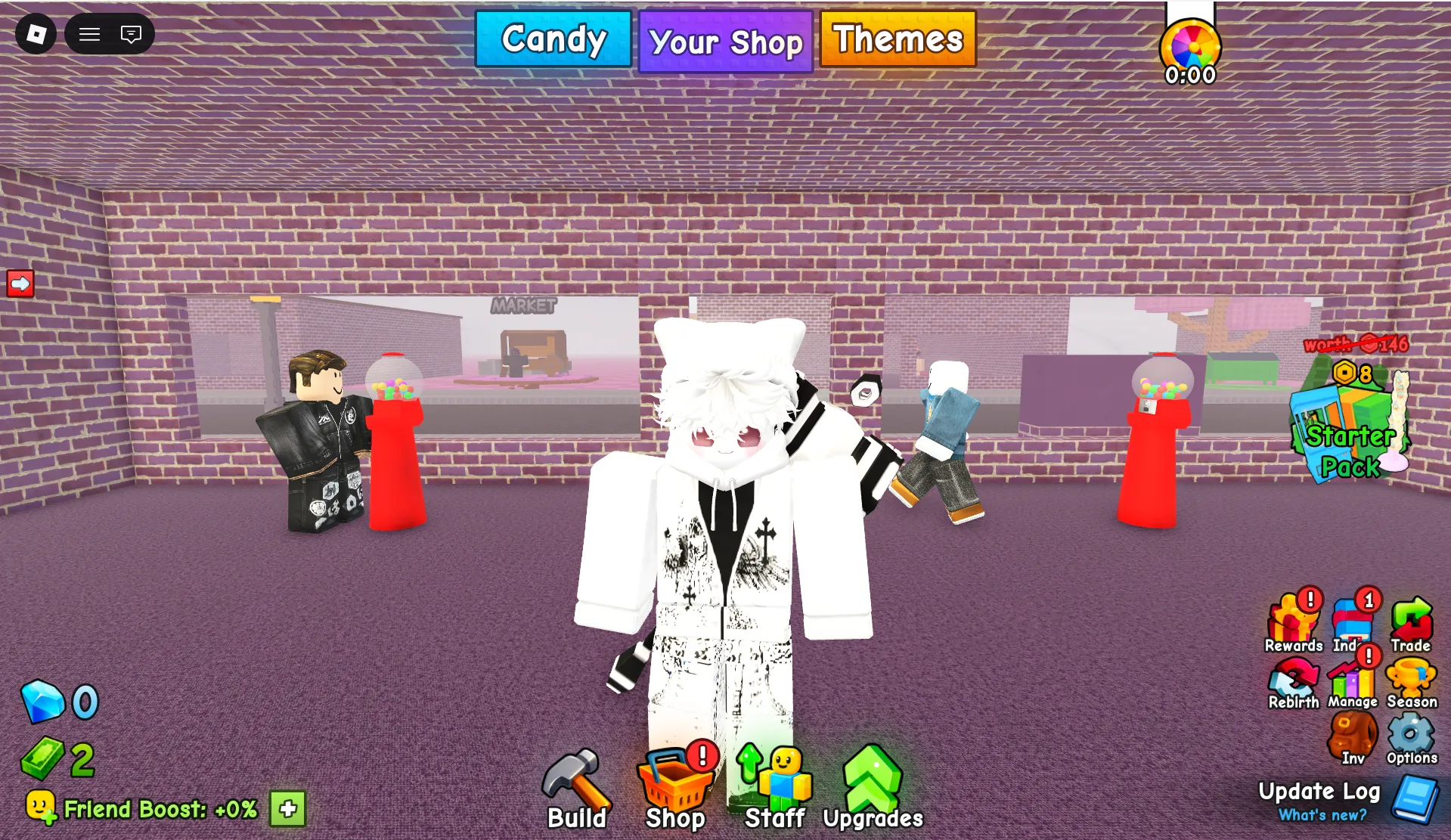


Latest Build a Candy Shop Codes (April 2026)
How to Redeem Build a Candy Shop Codes
- Launch Build a Candy Shop on Roblox and wait for the game to load.
- Press the Shop button located at the bottom of your screen.
- Scroll to the bottom of the Exclusive Shop window or click the Rewards button.
- Click the blue Codes button at the bottom.
- Enter a working code in the "Enter Code.." text box exactly as shown (codes are case-sensitive).
- Press the green Redeem button to instantly claim your Potions or Ragers.
- If the code doesn't work, double-check for typos, ensure proper capitalization, or verify the code hasn't expired.
About Build a Candy Shop
Build a Candy Shop invites players into a colorful, sugary world where you start your own candy business from the ground up. Make and sell tasty treats, buy new machines, upgrade your equipment, and grow your little store into a thriving candy empire. With offline earnings, social interaction, and weekly updates, the game emphasizes strategic building, resource management, and pure sweet satisfaction. Whether you're crafting lollipops, serving eager customers, or expanding your shop with new rooms, every moment is filled with delightful progression.
What makes Build a Candy Shop stand out is its rewarding progression system: Potions boost your production speed and efficiency, while Ragers are special customers that bring extra income and excitement. Regular code drops from Verse Works provide free Potions and Ragers—perfect for new players looking to accelerate their shop growth without grinding for hours. Whether you're collecting every decoration or chasing the latest weekly update, smart code redemption gives you a head start on building the sweetest candy empire around.
What Do Codes Give You?
Potions
Potions like the Prismatic Potion provide temporary production boosts, helping you make and sell candy faster. These are essential for accelerating early-game progress and reaching shop expansion milestones more quickly. Code drops frequently award Potions — use them strategically during active play sessions to maximize their effect.
Production BoostRagers
Ragers are special customers that bring bonus income and excitement to your shop. When a Rager visits, they purchase large quantities of candy, providing a significant cash boost. Code rewards like 18 Ragers from !180KLikes give you an immediate advantage in growing your candy business.
Bonus IncomeHow to Find New Build a Candy Shop Codes
Why Some Build a Candy Shop Codes Don't Work
Case-Sensitive Input
All Build a Candy Shop codes are fully case-sensitive. Entering 5kcommunity instead of 5KCommunity will fail. Copy codes directly from verified sources to avoid typos and capitalization errors.
Special Characters Matter
Some codes include numbers and capital letters throughout (180KLikes). Missing or changing any character will cause redemption to fail. Paste codes exactly as listed for best results.
Code Has Expired
Build a Candy Shop codes can expire without advance notice. BLOXBURST cross-checks multiple sources before updating the active list — any code showing expired or conflicting status is moved immediately. If a code does not appear in the active list here, it has been flagged and will not work.
Already Redeemed
Each Build a Candy Shop code is single-use per Roblox account. If the game returns an already-redeemed message, the Potions or Ragers were added in a previous session. With a history of milestone and update codes, players returning after a gap may have claimed codes they no longer remember.
Old Server After Update
Codes released alongside a new Build a Candy Shop update can fail on servers still running the previous build. If a newly announced code returns invalid on the first attempt — particularly within the first hour or two of a patch — exit the game entirely and rejoin to land on a fresh server running the current version.
Extra Space in the Code Field
Copying a code can include a hidden leading or trailing space that triggers an invalid response even when all visible characters are correct. After pasting, click at the very start and end of the Enter Code field to check for extra spaces before pressing Redeem. On mobile, clipboard paste behaviour varies between apps and spaces are easily introduced without any visible indicator.
Beginner Tips for Build a Candy Shop
Before starting a production session, redeem every active code to collect free Potions and Ragers. Then use Potions during active play sessions when you can maximize their effect, rather than using them right before logging off. This stretches your resources further and accelerates early shop expansion.
Build a Candy Shop earns cash even when you're not playing. Upgrade your machines before logging off to maximize your passive income while you're away. Pair this with code rewards to grow your empire faster without constant active play.
Ragers bring bonus income when they visit your shop. Save them for when you have high-production machines active to maximize the cash boost they provide. Don't waste Ragers on early-game setups with limited earning potential.
Verse Works releases new codes with most weekly Sunday updates. Checking the official Discord announcements channel after any patch is the most reliable way to catch fresh codes within minutes of release.
Build a Candy Shop codes are case-sensitive and must be entered exactly as shown. Copy codes directly from this page and paste into the game's code field to avoid manual entry errors that cause redemption failures.
Use free Potions and Ragers from codes to fund early shop expansions rather than spending earned cash. This preserves your hard-earned currency for later upgrades while accelerating your initial growth phase.
Latest Update Wiki
Fresh guides + updates from BLOXBURST Wiki
How to Redeem Roblox Codes (Step-by-step)
A quick guide to make sure you don't make mistakes when redeeming.
Read →How we check codes (manual testing)
An explanation of how we scan and test codes.
Read →Common reasons for "Invalid Code".
Common issues and fast solutions.
Read →💬 Leave a Comment
Have a question or feedback about Build a Candy Shop? Send it to us!