
Blue Lock Card Battles Codes
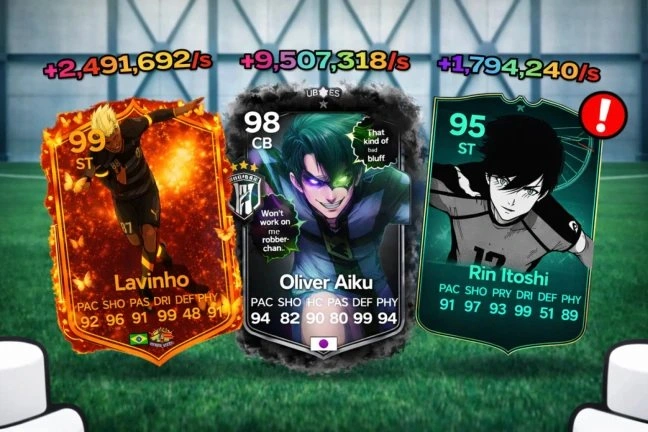


Latest Blue Lock Card Battles Codes (April 2026)
How to Redeem Codes
- Launch Blue Lock Card Battles on Roblox and load into the game.
- Join the Blue Lock Card Battle Roblox Group first before using any codes.
- Press the Settings Cog/Gear button in the bottom right of the screen.
- Type or paste a working code into the text box and hit the blue OK button.
- Click OK to collect your free rewards instantly.
About Blue Lock Card Battles
Blue Lock Card Battles is an anime-inspired card collecting and battling game developed by Blue Lock Card Battle on Roblox. Players collect cards featuring characters from the Blue Lock franchise, open packs to grow their personal binder, and build a team that maximizes synergies between cards. Each battle earns Cash that can be reinvested into better and rarer card packs — steadily expanding your collection and strengthening your roster. Codes provide a fast injection of free Cash, letting you dive straight into premium packs and start building a powerful team without the slow early grind.
⚽ Gameplay Loop
Open card packs to collect Blue Lock characters of varying rarities and add them to your binder. Assemble your best team by discovering and exploiting synergies between cards, then send them into battle against other players. Victories earn Cash that feeds back into purchasing better packs — pulling rarer cards with stronger abilities and greater synergy potential. The depth of the game lies in building the perfect combination of cards that work together to dominate opponents, rewarding both collection depth and strategic team-building over time.
🔑 Code System
Blue Lock Card Battles codes require you to first join the Blue Lock Card Battle Roblox group before any code will work. Once done, press the Settings/Gear icon in the bottom-right corner of the screen to open the Settings menu, then click the Codes button at the bottom. Enter a working code in the text box and press the blue OK button to claim your free Cash instantly. All codes are case-sensitive and should be copied exactly as shown — copy directly from this page to avoid errors. New codes are released through the official Blue Lock Card Battles Discord server and the Blue Lock Card Battle Roblox Group. Each code is single-use per Roblox account.
What Do Codes Give You?
Cash
Cash is the primary currency in Blue Lock Card Battles, used to purchase card packs that expand your binder with new characters inspired by the Blue Lock anime. The better the cards you collect, the more passive income your binder generates — creating a compounding loop where stronger packs lead to better cards, which in turn fund even more expensive packs. Redeeming codes for free Cash lets you skip the early grind entirely, giving you immediate access to higher-tier packs so you can start building powerful team synergies and competing in battles from day one.
Primary CurrencyHow to Find New Codes
Why Some Codes Don't Work
Typos & Case-Sensitive Input
Blue Lock Card Battles codes are case-sensitive — even a single wrong character will invalidate the code. Copy and paste directly from BLOXBURST to avoid input errors entirely. On mobile, autocorrect may silently alter a character after pasting, so always verify the text field before hitting OK.
Group Requirement
All Blue Lock Card Battles codes require you to be a member of the Blue Lock Card Battle Roblox Group before they can be redeemed. Attempting to use a code without joining the group first will result in an instant rejection. Join the group, re-enter the game, and then try redeeming the code again.
Code Has Expired
Codes in Blue Lock Card Battles can expire very quickly — sometimes within days of release — without any advance notice. BLOXBURST monitors multiple sources and removes any code the moment it shows expired or conflicting status. If a code is no longer on the active list here, it has already been flagged and will not work.
Already Redeemed
Each Blue Lock Card Battles code is single-use per Roblox account. If the game returns an already-redeemed message, the Cash was added to your account in a previous session. Check the active list before attempting codes to avoid repeated failed attempts.
Old Server After Update
Codes released alongside a new update can fail on servers still running the previous build. If a freshly announced code returns invalid — especially within the first hour or two of a patch — exit the game entirely and rejoin to land on a fresh server running the current version.
Wrong Menu Location
Blue Lock Card Battles codes can only be redeemed through the Gear/Settings icon in the bottom right corner of the screen — scroll to the bottom of the Settings menu to find the Codes button, enter your code in the text field, and press the blue OK button to confirm.
Beginner Tips for BLUE LOCK CARD BATTLES
Before attempting to redeem a single code, join the official Blue Lock Card Battle Roblox Group. Group membership is a required prerequisite — entering a code without it will cause every redemption to fail regardless of whether the code is still active. Once you are in the group, press the Settings Gear button in the bottom right corner of the screen, open the Codes section at the bottom of the menu, enter your code exactly as shown, and press the blue OK button to collect your free Cash instantly.
Every card you place in your binder in Blue Lock Card Battles generates passive income over time, and the rarer the card, the higher that income output. Spending your Cash on premium packs rather than basic ones from the start means your binder fills with higher-earning cards faster, which compounds into a larger income stream that funds even better packs in subsequent sessions. Codes give you a Cash head start that lets you skip straight to packs that would otherwise take significant grinding to afford.
Blue Lock Card Battles rewards teams built around complementary abilities over collections of individually strong but unrelated cards. Finding synergy combinations — cards that activate or amplify each other's effects — consistently outperforms stacking your team with the rarest cards that do not work together. Experiment with different combinations before committing to a battle lineup, and pay attention to which card combinations perform well against opponents rather than defaulting to whichever cards have the highest stats.
In Blue Lock Card Battles, both winning and losing a battle rewards you with Cash, which means there is never a reason to sit idle between pack purchases. Queuing into battles while your binder income accumulates doubles your earnings rate during active sessions. Even if your current team cannot consistently win matches, the Cash from losses still contributes to your next pack purchase faster than waiting would. Use every session to battle as many times as possible alongside collecting your passive binder income.
Your binder is where your card collection actively works for you — cards stored there generate the passive Cash income that funds all future pack purchases. Cards left outside your binder earn nothing. After every pack opening, place your new cards into the binder right away rather than holding them in your inventory while deciding what to do with them. A fully stocked binder running at capacity at all times is the foundation of a consistently growing Cash balance in Blue Lock Card Battles.
Blue Lock Card Battle releases new codes consistently alongside each content update, following a clear CARDUPDATE naming pattern — CARDUPDATE13 is currently live on the Roblox game page. These codes are case-sensitive and expire very quickly, sometimes within days of release. The Discord server and the Blue Lock Card Battle Roblox Group are where codes appear first. Enabling notifications on both ensures you see new code drops the moment they go live rather than discovering them after they have already expired.
Latest Update Wiki
Fresh guides + updates from BLOXBURST Wiki
How to Redeem Roblox Codes (Step-by-step)
A quick guide to make sure you don't make mistakes when redeeming.
Read →How we check codes (manual testing)
An explanation of how we scan and test codes.
Read →Common reasons for "Invalid Code".
Common issues and fast solutions.
Read →💬 Leave a Comment
Have a question or feedback? Send it to us!