
Anime Crash Codes
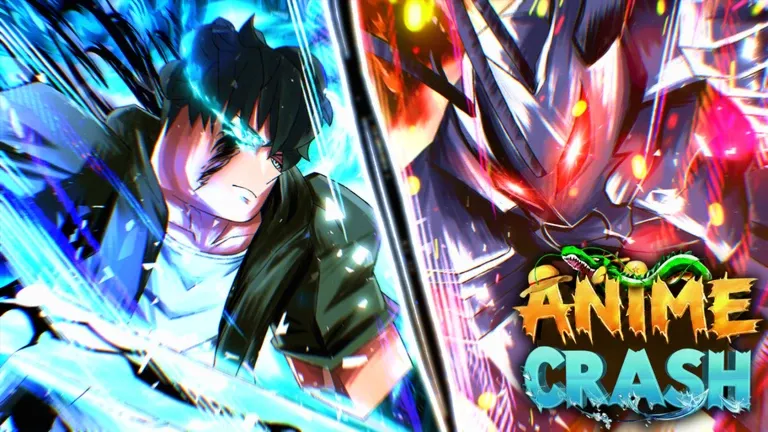


Latest Anime Crash Codes (April 2026)
How to Redeem Codes
- Launch Anime Crash on Roblox and load into the game.
- Click the Shop button on the left side of the screen.
- Press the green Codes button inside the Shop menu.
- Type or paste a working code into the Enter a code.. text box.
- Click the blue Redeem! button to claim your free rewards instantly.
About Anime Crash
Anime Crash is an anime-themed clicker RPG developed by Neo X Inc on Roblox, built for Desktop, Mobile, Tablet, and Console. Players tap to charge their Power, dive into legendary anime worlds, and battle enemies to earn rewards, unlock epic avatars, and discover rare treasures. Progression revolves around unleashing Stars to recruit powerful Champions, defeating enemies to rank up, level up, and power up your character to new heights. The AFK Chamber lets players farm passively while away, and joining the Neo X Inc Roblox Group grants a free Auto Click — a core advantage that accelerates your Power growth even without active play. Codes drop free rewards that give new players a crucial head start in the grind.
⚡ Gameplay Loop
Tap to charge your Power — each click fuels your ascension through increasingly stronger anime worlds. Defeat enemies to earn rewards, gain XP, and unlock new avatars and Champions that multiply your stats. Stars are the key resource for recruiting powerful Champions, each bringing unique combat bonuses that push your Power to new levels. Ranking up and leveling up unlocks access to harder zones and rarer loot. The AFK Chamber allows passive farming, making it the ideal time to stack resources without active grinding. Joining the Neo X Inc Roblox Group grants a free Auto Click feature, letting your character farm Power automatically — essential for climbing ranks efficiently without constant manual input.
🔑 Code System
Anime Crash codes are redeemed in-game — look for the codes input in the game's menu and enter your code exactly as shown to claim your free rewards. The launch code RELEASE! is available for all players to redeem for free starter rewards. All codes are case-sensitive, so copy them directly to avoid errors. New codes are announced through the official Discord server and the Neo X Inc Roblox Group page, typically released during major updates, milestone celebrations, or as compensation for server downtime. Each code is single-use per Roblox account, so redeem them as soon as possible before they expire.
What Do Codes Give You?
Shards & Coins
Shards and Coins act as the primary currencies in Anime Crash, used to unlock champions, upgrade abilities, and progress through the game’s combat systems. These resources are earned through grinding waves and battles, making code rewards especially valuable for accelerating early and mid-game progression by reducing the time needed to strengthen your team.
Primary Progression CurrencyPotions
Potions provide temporary boosts that enhance gameplay efficiency, including improved performance during battles and faster progression. These rewards are commonly included in codes and are most effective when used during active grinding sessions, allowing players to gain more value from each run and push through tougher stages.
Temporary Boost ItemsKeys, Tokens & Skill Items
Keys, Tokens, and Skill-related items are special rewards that provide access to additional systems, character improvements, and progression features. These resources are typically harder to obtain through normal gameplay, making code rewards particularly valuable as they grant direct access to upgrades, resets, and unique progression opportunities.
Special Progression ResourcesHow to Find New Codes
Why Some Anime Crash Codes Don't Work
Case-Sensitive Input
Some Anime Crash codes are case-sensitive, so entering uppercase and lowercase letters incorrectly can make the code fail immediately. Copy and paste the code exactly as shown to avoid small input mistakes.
Typing Errors
Even one wrong letter, number, or symbol can make an Anime Crash code invalid. The fastest fix is to copy the code directly from a trusted source instead of typing it manually.
Code Has Expired
Anime Crash codes may expire without much warning. If a code was working before but now fails, it may already have been removed by the developers.
Old Server Build
If a newly released code doesn’t work right away, your server may still be running an older version of the game. Leave the game completely and rejoin to enter a fresh server with the updated build.
Wrong Redemption Menu
Anime Crash codes only work through the correct menu path. Press the Shop button on the left side of the screen, then open the green Codes button before entering the code.
Wrong Confirm Button
After entering the code in the “Enter a code..” text box, you need to click the blue Redeem! button. If you enter the code in the wrong place or leave the menu too early, the reward will not be claimed.
Beginner Tips for ANIME CRASH
Codes in Anime Crash provide essential resources like Shards, Coins, Keys, and Tokens. These are used to unlock and upgrade champions, allowing you to progress faster right from the start. Players who redeem codes early gain access to stronger units much sooner than those who ignore them.
The main goal in Anime Crash is to recruit powerful champions and use them in combat. Investing your early resources into unlocking good units will make grinding faster, smoother, and more efficient compared to staying with weak starting characters.
The faster you build a strong team, the easier it becomes to clear enemies and progress through content. Early momentum is very important, so prioritize leveling and strengthening your lineup instead of wasting time on inefficient farming.
Keys and Tokens are usually harder to obtain compared to basic currency. Using them without a clear goal can slow down your progression later. Save these for better opportunities such as stronger summons or important upgrades.
Even if you get one powerful champion early, relying only on it can limit your effectiveness. A balanced team improves survivability and damage output, making it easier to handle different types of enemies and stages.
New codes are frequently released during updates, events, and milestones. Checking regularly ensures you don’t miss out on free rewards that can significantly boost your progress.
Latest Update Wiki
Fresh guides + updates from BLOXBURST Wiki
How to Redeem Roblox Codes (Step-by-step)
A quick guide to make sure you don't make mistakes when redeeming.
Read →How we check codes (manual testing)
An explanation of how we scan and test codes.
Read →Common reasons for "Invalid Code".
Common issues and fast solutions.
Read →💬 Leave a Comment
Have a question or feedback? Send it to us!