
Island of Move Codes
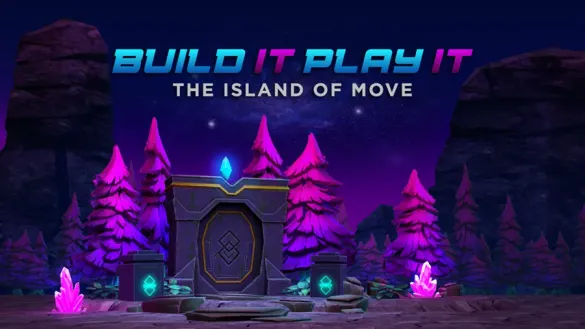


Latest Island of Move Codes (March 2026)
All known codes have expired. We check daily — bookmark this page and come back for new drops.
How to Redeem Codes
- Launch Island of Move on Roblox and wait in the lobby.
- Walk forward to the PLAY IT! sign and press E to interact with it.
- Click Redeem Code from the menu that appears.
- Type or paste your code exactly into the Enter codes here! box.
- Click the blue checkmark button to claim your free avatar item instantly.
About Island of Move🏝️
Island of Move is an official Roblox experience created by Roblox Corporation as part of the Build It, Play It program, launched in July 2020. The game is a simple clicking challenge where players race to click as fast as possible to progress through a series of themed maps. Unlike most Roblox games, Island of Move codes reward free avatar items — accessories, hats, emotes, and cosmetics — that are permanently added to your Roblox inventory and usable across every Roblox game you play.
🎮 Gameplay
Join the lobby solo or with friends and click the on-screen MOVE IT! button as fast as you can. The more you click, the further your character runs through the map. Completing maps and leveling up unlocks new animations you can share with other players in the experience.
🎁 Code Drops
Island of Move codes are released by Roblox Corporation during special events, platform milestones, and Build It, Play It promotional campaigns. Codes are tied to limited-time events and may not be renewed — there is no regular release schedule. New drops are announced through Roblox's official social channels.
What Do Codes Give You?
Hats & Accessories
Island of Move codes have distributed a wide variety of free hats and accessories — from the Hustle Hat and Cardio Cans to limited brand collaborations like the Jurassic World Sunglasses. All items are permanently added to your Roblox inventory and wearable in any game.
Most CommonEmotes & Animations
Some codes unlock exclusive emotes and animation packs like the Running Man Emote, Cardio Crank Animation Pack, and the Starlight Spin, Crystal Wave & Magic Bounce multi-emote bundle. These play on your avatar across all Roblox games.
EventAuras & Effects
Rarer codes award visual aura effects like the Rainbow Aura and Ghastly Aura Waist accessories. These add a persistent visual effect around your avatar and are among the most exclusive items distributed through the Build It, Play It program.
RareBack Accessories
Back accessories like the Build It Backpack, Kinetic Staff, Artist Backpack, and Crystalline Companion shoulder pet are a staple reward type in Island of Move. These visually equip to your avatar's back slot and are usable in all Roblox experiences.
CommonHow to Find New Codes
Why Some Codes Don't Work
Code Has Expired
Island of Move codes are tied to limited-time Roblox events and expire when the event ends — sometimes within days of release. If the game returns an invalid or expired message, the code can no longer be redeemed. Return to BLOXBURST for a current verified list.
Wrong Capitalization
Island of Move codes are case-sensitive. A code like GetMoving will fail if entered as getmoving or GETMOVING. Always copy and paste directly from BLOXBURST to eliminate any capitalization errors before submitting.
Already Redeemed
Each Island of Move code can only be claimed once per Roblox account. If you've already redeemed the code, the game will show an already used message — check your Roblox inventory to confirm the item was received from a previous session.
Wrong Interaction Point
Codes must be entered via the PLAY IT! sign in the lobby — not through any other menu or screen. Walk directly to the sign, press E, and select Redeem Code from the pop-up menu before typing your code.
Extra Space in Code
An accidental space before or after the code text causes an invalid error even when the code itself is correct. After pasting the code, check both ends of the input field and remove any extra spaces before clicking the blue checkmark to submit.
Outdated Server
On rare occasions, freshly released codes fail to register on older game servers. If a brand new code isn't being accepted, exit Island of Move fully and rejoin — a fresh server will have the latest code database loaded and should accept the code immediately.
Beginner Tips for Island of Move🏝️
Island of Move codes are released during limited Roblox events and expire fast — sometimes within days. Bookmarking this page takes two seconds and guarantees you'll see the moment a new code goes live, so you never miss a free avatar item.
Unlike many Roblox games where codes last weeks, Island of Move codes tied to promotional events can expire the same day they launch. When a new code drops, redeem it before doing anything else — waiting even a few hours risks missing it entirely.
Island of Move codes are case-sensitive, and a single wrong letter or capitalization error causes an invalid result. Always copy the code directly from BLOXBURST and paste it into the Enter codes here! box to eliminate typos before submitting.
Avatar items from Island of Move codes are account-bound but each Roblox account can claim them separately. If you have multiple accounts or play with family members, make sure everyone redeems active codes before they expire — the items are free on every account.
All accessories, hats, emotes, and back items from Island of Move codes go into your main Roblox Avatar inventory. Open the Roblox app, go to your Avatar editor, and equip any redeemed item to wear it across every Roblox experience you play.
Roblox Corporation announces Build It, Play It campaigns and new Island of Move codes through their official social channels before most third-party sites pick them up. Enabling notifications on the @Roblox X account gives you the earliest possible heads-up on new codes.
Latest Update Wiki
Fresh guides + updates from BLOXBURST Wiki
How to Redeem Roblox Codes (Step-by-step)
A quick guide to make sure you don't make mistakes when redeeming.
Read →How we check codes (manual testing)
An explanation of how we scan and test codes.
Read →Common reasons for "Invalid Code".
Common issues and fast solutions.
Read →💬 Leave a Comment
Have a question or feedback? Send it to us!